Table of content:


Amazon is one of the most reputable ecommerce platforms in India. It offers 168 million products to Indian customers. There are more than 218,000 sellers actively selling their products on Amazon.
So Amazon offers a robust and beginner-friendly platform for any business. You can register as an Amazon seller and display your products to millions of customers across India.
Amazon Seller Platform Overview
Amazon started their journey in India in June 2013. Their headquarters are situated in Bengaluru, Karnataka. Amazon is a Third-party seller platform (marketplace model, not inventory-led due to Indian FDI rules) that has more than 100M registered users. To fulfill users' orders, there are more than 6.5 lakh sellers on Amazon. Amazon has developed a massive tech-enabled logistics infrastructure. They have an in-house warehouse and logistics services called FBA (Fulfilment by Amazon). Amazon offers a massive opportunity for sellers to sell their products.
Documentation And Eligibility To Register On The Amazon Seller Central
Eligibility Criteria
- Age: You must be at least 18 years old to become an Amazon seller.
- Business Entity: You must register as a Limited Liability Partnership (LLP), a One Person Company (OPC), or a Private Limited Company.
- Bank Account: You must have a valid bank account number to receive payments.
- GST Registration: You need a GST number if you sell taxable goods on Amazon. A GST registration number is unnecessary if you sell products not covered under GST.
Documents Required
- You will require identity proof on any one of the following (PAN card, Aadhar card, Passport or driver's licence).
- You will require a GST number and certificate if you sell taxable goods.
- Provide proof of business address by submitting any of the following, such as a utility bill, company registration certificate, or rent agreement.
- Cancelled cheque.
- Photocopy of the first page of the bank passbook.
Step-By-Step Registration Process On Amazon Seller Portal
Here is a step-by-step guide on how you can do the registration process on the Amazon seller portal and start selling products on Amazon.

- First, you need to visit the website https://sellercentral.amazon.in/ and click on start selling, which is usually in the upper right corner of the page.
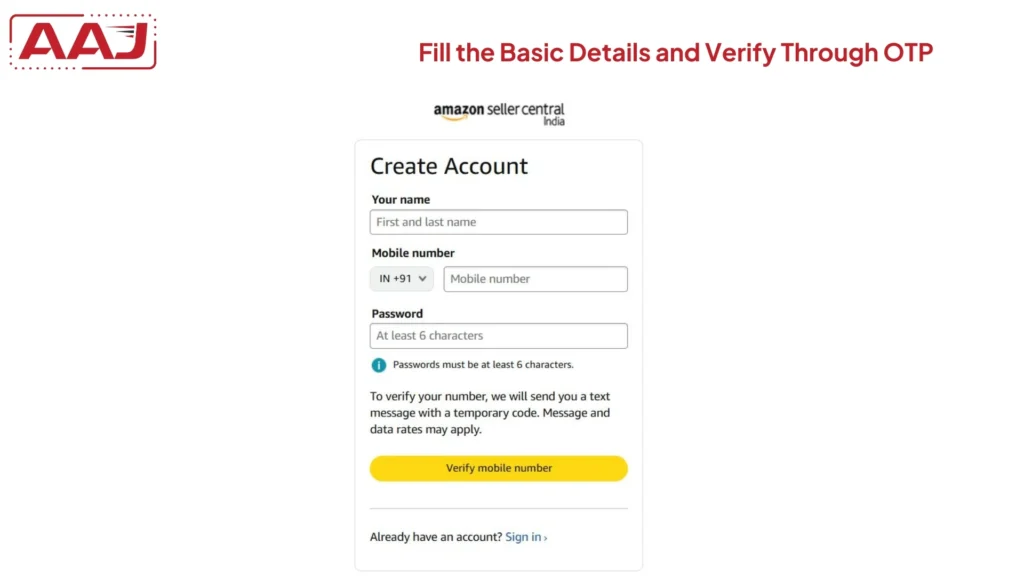
- You will get an option to create an account. You must fill in the basic details like name, mobile number and password.
- You will need to verify your mobile number. Click on "Verify Mobile Number" and solve the puzzle. Once you solve the puzzle, you will get an OTP on your mobile number. You need to fill in the OTP and click on continue.
- You need to fill in the 15-digit GST number then. If you sell non-GST products like books, you don't need to fill in the GST number. You need to click on the second option.
- All your GST details will be displayed if you have entered your GST number. You can then click on continue to verify.
- You have to upload the GST certificate and then click on submit. It will require 72 hours for verification.
- Click on Continue Registration.
- You will be redirected to another page where you need to fill in your Amazon store name. Click on save and continue.
- Now you have to fill in the pickup address. Click on save and continue.
- You have to click on the shipping method. There are two shipping methods, i.e., easy shipping and self-shipping. Easy shipping means the in-house logistics company will pick up the products from your warehouse and deliver them to the customer's doorstep. If you are selling products on Amazon for the first time, choose the easy ship method, click save, and continue.
- If you have a physical store, then you should join local shops. If you don't want to join, click "Skip this" and continue.
- Now you will move to the next page where you have to click the shipping fee preferences, i.e, pay by yourself or include delivery charges for customers. Click on any of them, then click on save and continue.
- Now you have to fill in the bank account details, such as the account holder's name, bank account name, and other basic information. Click on save and continue.
- Now select the GST rate and product tax code. A pop-up window will appear when you fill in the rates and code. You have to do the two-step verification.
- Now the registration process is complete. You can add products to your Amazon seller account and start selling products on Amazon.
Amazon Seller Login Steps
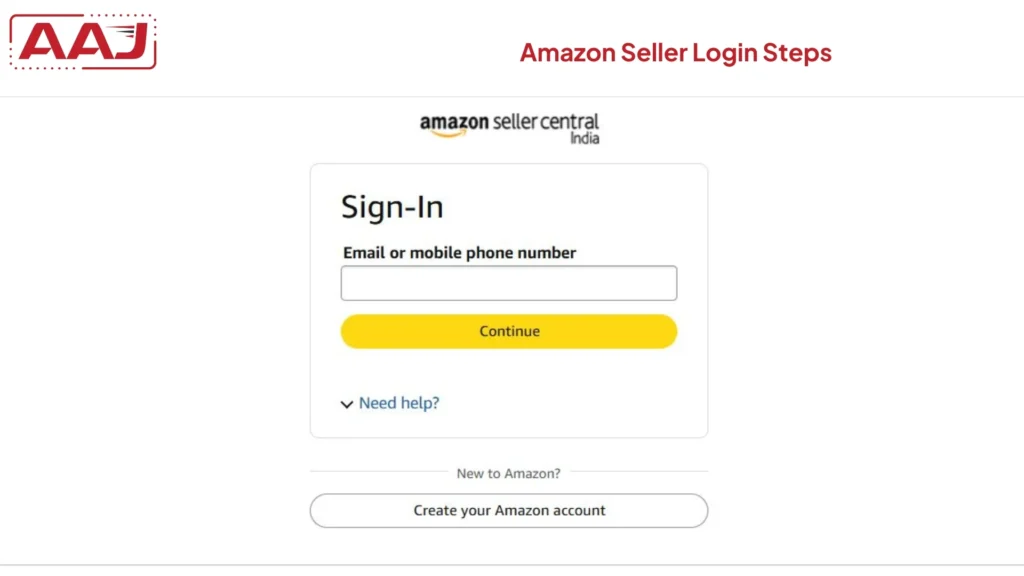
To log in to Amazon Seller, follow the steps below.
- You need to visit the Amazon seller portal page https://sellercentral.amazon.in/.
- Click on the sign-in button.
- You must provide the basic details, i.e, your email ID or mobile number, and then the password.
- You can then access the seller dashboard to add new products, manage inventories, or track orders.
How Do You Add Products To An Amazon Seller Account?
You can add products to your Amazon seller account by following the steps below.
- Log in to your Amazon seller portal and then click on the menu present in the right-hand corner of the page.
- You can then click on the catalogue and then on add product.
- You will be redirected to another page, which will tell you to select an option to start listing the product.
- If you choose keywords, then you will get an option. Create a new listing. Click on it.
- Select the correct product category and enter all the product details like title, brand name, product ID, images, price and quantity.
- You need to choose the shipping and fulfillment method then.
- You need to fill in all the basic details regarding the product, review it and then click on save and finish.
- Your product will be submitted for review and go live on the Amazon platform.
Benefits Of Selling On Amazon Seller Central
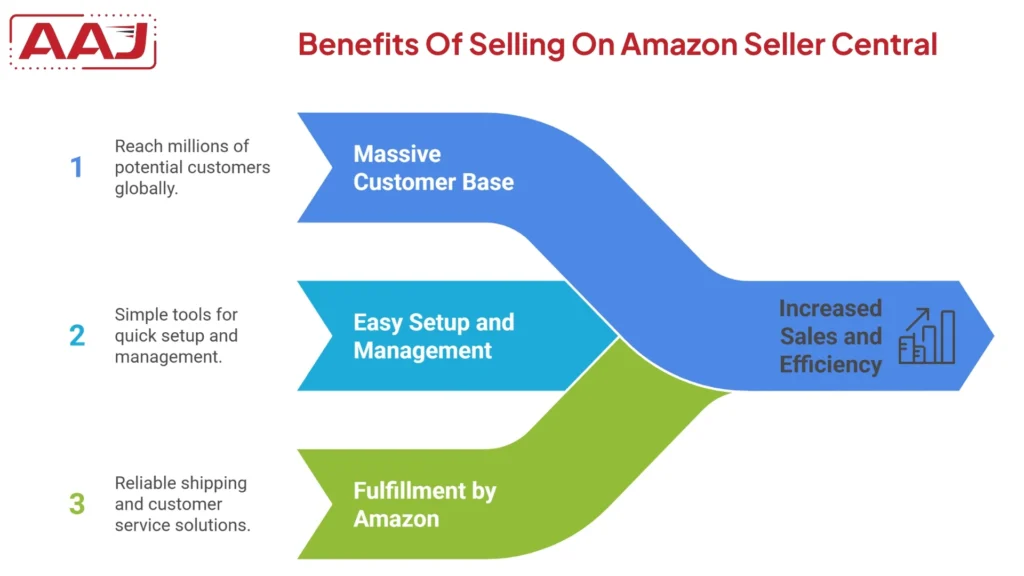
Amazon is the top ecommerce marketplace in India. There are various benefits of selling products on the Amazon platform.
1. Access To A Massive Customer Base
When you sell your products in a physical store, customers within the nearby region can come and buy your products. However, when you sell products on Amazon, you can showcase products to millions of customers from all over India. It can help in increasing your profits and brand reputation in the market.
2. Easy To Set Up And Manage
You can easily register on Amazon Seller Central and log in to list products, track inventories, and manage them easily.
3. Fulfillment by Amazon
Fulfillment by Amazon is a service that allows sellers to store products in the Amazon fulfillment center. If you store products in an Amazon fulfillment center, it will pick up the ordered product, process it, and ship it to your customer. So you don't need to worry about the logistics activities of the products. You can even scale your business without investing money in a warehouse.
Final Words
Selling products on Amazon is a great way to boost your business. You need to register as Amazon seller and then log in to create product listings. You need to fill in all the basic details of the product, choose the shipping method, and then submit. The team will review your form and approved accordingly. You can use Amazon's promotional tools to increase your product's visibility and earn more profit.